
Free · No sign-up · No font download
Small Text Generator
Create small text and tiny text with Unicode small caps, superscript and subscript characters you can copy and paste.
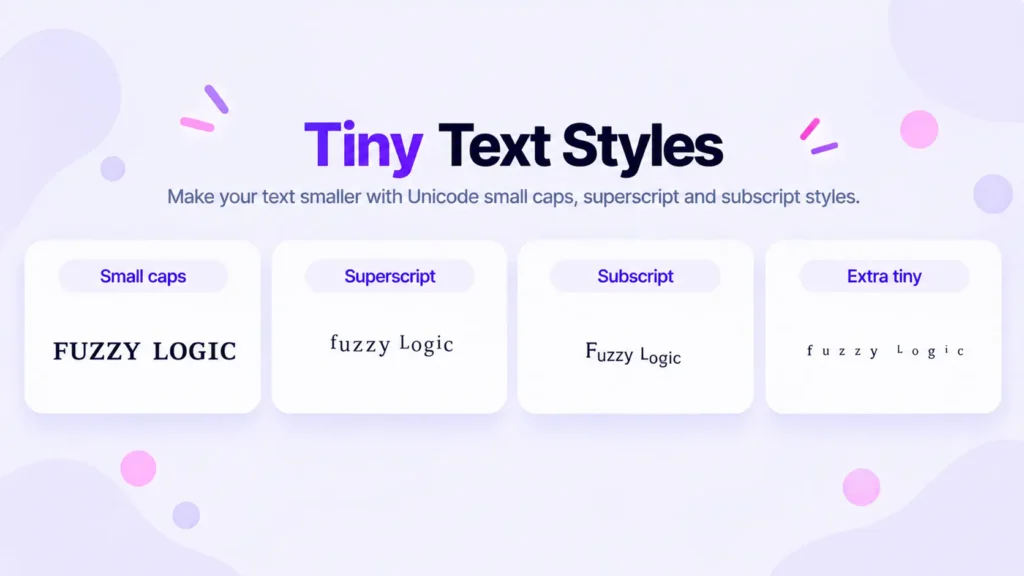
Tiny text styles
✓ Works on phone and desktop✓ No font install✓ Tap any style to copy
Small text basics
What Is a Small Text Generator?
A small text generator maps ordinary text to Unicode characters that look smaller, raised, lowered or compact. FontTex produces copyable text rather than changing the font size in an app. Unicode does not provide a superscript or subscript version of every letter, so some characters can stay normal instead of becoming tiny.
The Tiny preset combines small caps, superscript and subscript-style text with a few related compact or playful options. It is useful when you want the characters themselves to carry the small-text effect. For broader styling beyond this preset, use the FontTex font generator.
| Compare | Styled Unicode text | Font file |
|---|---|---|
| Output | Copyable characters | TTF, OTF or another font format |
| Install needed | No | Usually yes |
| Typical use | Small labels, short bios, comments and compact display text | Design and document software |
Quick steps
How Do You Make Tiny Text?
Type or paste your text, compare the Tiny results, then copy the version that fits your purpose. Check the output before using it because superscript and subscript alphabets are incomplete in Unicode. If some letters remain normal, that is a character-availability limit rather than a failed conversion.
01
Enter your text
Type a short label, name, phrase or comment. The Tiny results update from the same input.
02
Compare tiny directions
Look at small caps, raised superscript, lowered subscript and spaced options.
03
Check unchanged letters
Some letters do not have matching superscript or subscript characters. Keep or change the style based on readability.
04
Copy and paste
Copy the result, paste it into the target field and check the final appearance there.
Style guide
Which Small Text Styles Can You Try?
The Tiny preset is not one single alphabet. Small caps keeps text compact, superscript raises supported characters, and subscript lowers supported characters. Related spaced, reversed, upside-down, bubble and bold options give you nearby alternatives when a true tiny character is not available.
These examples use exact output from the FontTex master export. The table below explains the main tiny-text directions without pretending Unicode has a complete raised or lowered alphabet.
Small Caps
ʟɪᴛᴛʟᴇ ɴᴏᴛᴇ
Best for: Compact labels and names that need a small caps font look while staying relatively easy to scan.
Watch out: Small caps uses alternate Unicode characters rather than a font-size setting, so the shapes can differ from ordinary capitals.
Superscript and Subscript
ᴸⁱᵗᵗˡᵉ ᴺᵒᵗᵉ
ₗᵢₜₜₗₑ ₙₒₜₑ
Best for: Short annotations, raised text and lowered-text effects where the available characters are enough.
Watch out: Unicode has no superscript or subscript form for every letter, so some characters can stay normal instead of becoming tiny.
Spaced Tiny Text
L i t t l e N o t e
ʟ ɪ ᴛ ᴛ ʟ ᴇ ɴ ᴏ ᴛ ᴇ
ᴸ ⁱ ᵗ ᵗ ˡ ᵉ ᴺ ᵒ ᵗ ᵉ
Best for: Short display text that needs a compact look with extra breathing room.
Watch out: Spacing uses more horizontal room, which can be a problem in narrow fields.
Flip and Playful Alternatives
ǝʇou ǝlʇʇıl
etoN elttiL
ⓁⒾⓉⓉⓁⒺ ⓃⓄⓉⒺ
𝗟𝗶𝘁𝘁𝗹𝗲 𝗡𝗼𝘁𝗲
Best for: Short novelty text when a pure small alphabet is less important than the visual effect.
Watch out: Reversed and upside-down text reduce recognition, while bubble letters and bold sans are not literally smaller.
| Style direction | What it changes | Main limit |
|---|---|---|
| Small caps | Uses small-cap-like Unicode characters | Shapes are substitutions, not a true font-size change |
| Superscript | Raises supported characters | No matching character exists for every letter |
| Subscript | Lowers supported characters | Coverage is incomplete, so some letters stay normal |
Choose the effect
Which Tiny Style Should You Use?
Use small caps when you want the most compact, steady look. Choose superscript for raised text and subscript for lowered text, but expect gaps in their alphabets. Spaced or playful alternatives work better when visual rhythm matters more than keeping every character as small as possible.
Compact
Use small caps first
Small caps is a practical starting point for short labels and names because it keeps every letter on the same line instead of raising or lowering it.
Try: ʟɪᴛᴛʟᴇ ɴᴏᴛᴇ
Raised
Keep superscript short
Superscript works best for brief annotations or accents where a few unchanged letters will not confuse the reader.
Try: ᴸⁱᵗᵗˡᵉ ᴺᵒᵗᵉ
Lowered
Expect gaps
Subscript is useful as a visual effect, but incomplete letter coverage means some words will mix lowered and normal characters.
Try: ₗᵢₜₜₗₑ ₙₒₜₑ
Copy and paste
Where Can You Use Tiny Text?
Tiny Unicode text can be pasted into comments, bios, names, labels and other fields that accept the copied characters. It is most useful for short text. Because some tiny characters are less familiar or may be unsupported, test the exact field and keep important wording easy to read.
CommentsBiosProfilesMessagesLabelsCaptions
Comments
Use a short accent
A small phrase can stand out without shrinking the whole message.
Try: ᴸ ⁱ ᵗ ᵗ ˡ ᵉ ᴺ ᵒ ᵗ ᵉ
Bios
Keep it readable
Use tiny text on one short line and leave important details in plain text.
Try: ʟ ɪ ᴛ ᴛ ʟ ᴇ ɴ ᴏ ᴛ ᴇ
Labels
Check every letter
For short labels or tags, confirm that superscript or subscript gaps do not change the intended meaning.
Try: F u z z y L o g i c
Character note: A missing superscript or subscript character may stay normal because Unicode does not provide a matching tiny form for every letter. That is expected behavior for this kind of copy-and-paste text.
Fix common issues
Why Are Some Tiny Letters Missing or Different?
Tiny text relies on available Unicode characters rather than shrinking a normal font. When a raised or lowered counterpart does not exist, FontTex cannot invent one, so the original letter can remain normal. Rendering can also vary by app or device, which is why a short test in the destination is useful.
Some letters stay normal
There is no matching superscript or subscript Unicode character for every letter. Choose small caps or another Tiny style if the mixed result is distracting.
A tiny character becomes a box
The viewing app or device may not have a font that displays that character. Try a different Tiny result or plain text.
The text is hard to read
Use a shorter phrase, small caps or plain text for essential information.
The field rejects the result
That field may limit certain Unicode characters. Try a simpler Tiny option or ordinary letters.
Accessibility note: Tiny Unicode characters can be difficult to read at a glance and may be announced unexpectedly by assistive technology. Keep essential instructions and long text in plain characters.
Make Your Tiny Text
Type a short phrase, compare the Tiny styles, then copy the result that stays clear enough for your use. You can also browse more FontTex style families.

Created and reviewed by
Daniel Turner · Founder & Product Editor at FontTex
Daniel Turner oversees FontTex’s product direction, tool testing, and editorial content. He reviews guides about Unicode text transformations, copy-and-paste behavior, compatibility, readability, and accessibility, and checks technical claims against primary or authoritative sources where appropriate.