
Free · No sign-up · No font download
Aesthetic Font Generator
Turn plain words into soft, dreamy aesthetic fonts you can copy and paste into bios, captions and display names where supported. Type once, then tap any style to copy it.
Aesthetic font styles
✓ Works on phone and desktop✓ No font install✓ Tap any style to copy
The basics
What Is an Aesthetic Font Generator?
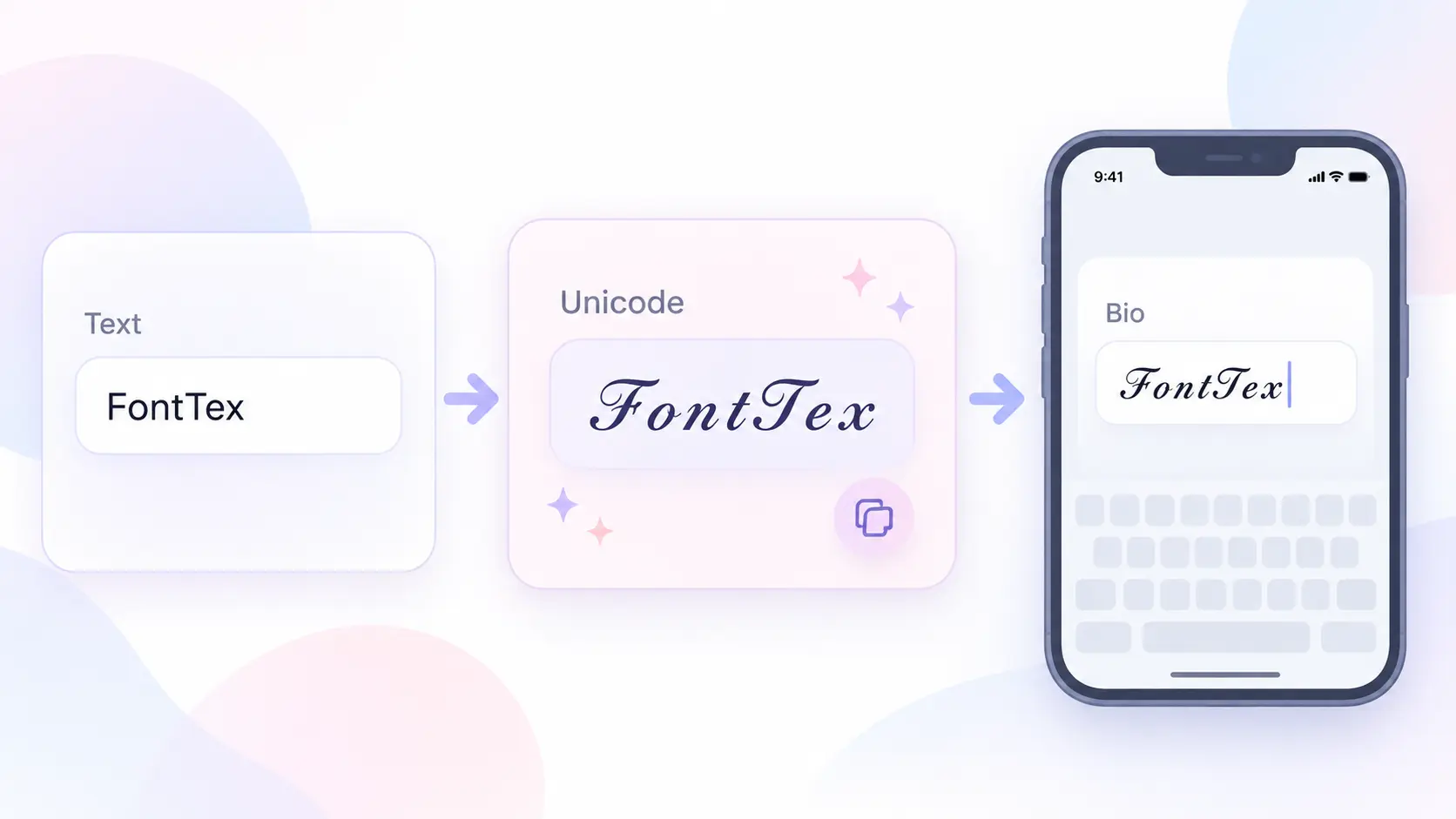
An aesthetic font generator turns the words you type into soft, airy Unicode characters, such as wide vaporwave letters, cursive script, small caps and text wrapped in moons, sparkles or hearts. You copy the result and paste it into a bio, caption or name. Nothing is installed, because the output is text, not a font file.
“Aesthetic” describes a mood more than one letter shape. Most aesthetic text uses three simple tricks: extra space between letters, gentle letter shapes like script or small caps, and small symbols placed around the words. The styles above mix and match those tricks.
Each styled letter is a real character from the Unicode standard. Wide vaporwave letters come from the fullwidth forms used in Japanese and Chinese typesetting. Script and double-struck letters come from blocks made for math. Because they are ordinary characters, they paste into most places that accept text, but each device draws them with its own built-in fonts.
| Compare | Aesthetic Unicode text | Downloadable font file |
|---|---|---|
| What you get | Characters you copy and paste | A TTF or OTF file |
| Install needed | No | Yes, on each device or app |
| Where it shows | Bios, captions, names, chats and other text fields | Only in apps where you pick that font |
| Other people see it | Yes, if their device has the symbols | Only if they also have the font |
| Change size or color | Only if the app lets you | Yes, inside design and writing apps |
Want more than aesthetic looks? The FontTex font generator has 110+ text styles in one place, with filters for cursive, bold, gothic, cute and more.
How to use
How to Copy and Paste Aesthetic Fonts
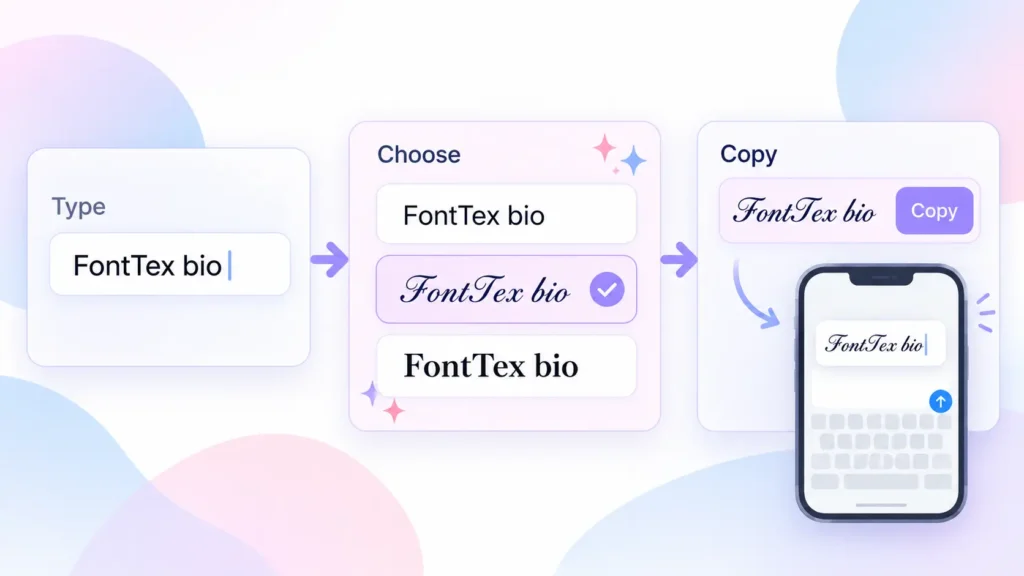
Type your words in the box above, look through the live preview, tap the style you like to copy it, then paste it where you want it. It takes a few seconds in a phone or desktop browser, and there is no app to install.
01
Type your text
Enter a name, a bio line or a short caption. Every style updates as you type.
02
Find your style
Scroll the styles or use Search styles. Tap the star on any style to keep it in Saved.
03
Tap to copy
Tap a result or its Copy button. The styles you copy also show up in Recent.
04
Paste and check
Paste it into your app with a long press (phone) or Ctrl+V / Cmd+V (desktop). Check it on the screen people will see.
Tip: Want every style at once? Open Export to copy all styles, download them as a TXT file or print or save them as a PDF. Your text also carries over if you open another FontTex generator during the same visit.
The styles
Aesthetic Font Styles and When to Use Them
Every aesthetic style above falls into one of six looks: wide vaporwave letters, airy spacing, soft frames, sweet frames, elegant letters and clean minimal text. Each card below shows the look, where it works best and where it can break.
Vaporwave wide (Fullwidth)
soft launch
Best for: Retro and Y2K bios, short captions and titles with a slow, dreamy feel.
Watch out: Each letter takes about twice the normal width, so long lines wrap early. Keep it to two or three words.
Airy spacing (Letter spaced, Dot spaced)
g o l d e n h o u r
g · l · o · w
Best for: Headers, highlight names and one-word moods.
Watch out: Spaced words are no longer one word, so in-app search will not find them. Some apps also squeeze extra spaces together.
Soft and dreamy frames (Soft frame, Moon frame, Galaxy frame)
˚₊‧꒰ა dreaming ໒꒱‧₊˚
☾ night owl ☽
★彡 stardust 彡★
Best for: Bio first lines, social media profiles, story highlight names and night or dreamy moods.
Watch out: Frames add several symbols to your text, and each one counts toward bio and name limits. Some symbols may show as boxes on older devices.
Sweet and gaming frames (Sparkle, Heart, Gaming name frame)
✧ main character ✧
♡ bestie ♡
꧁༺ Nova ༻꧂
Best for: Sparkle and heart for captions and friend names. Gaming name frame for clan tags and in-game chat.
Watch out: These frames are busy. Use one per line and keep the words inside short, or the text starts to look cluttered.
Elegant letters (Cursive script, Double struck)
𝓁𝓊𝓃𝒶
𝕤𝕠𝕗𝕥 𝕝𝕒𝕦𝕟𝕔𝕙
Best for: Names, quotes and soft, romantic or clean brand lines.
Watch out: A few letters in these sets come from an older Unicode block, so they can look a little different from their neighbors on some phones.
Clean and minimal (Small caps, Clean sans)
ꜱᴏꜰᴛ ʟᴀᴜɴᴄʜ
𝗌𝗈𝖿𝗍 𝗅𝖺𝗎𝗇𝖼𝗁
Best for: Minimal bios, “that girl” notes and anywhere you want style that still reads easily.
Watch out: Unicode has no small-cap form for every letter, so one or two letters may stay close to normal lowercase.
Pick by vibe
Which Aesthetic Style Fits Your Vibe?
Match the style to the mood you want, not the other way around. Soft and dreamy looks use frames and space, vaporwave uses wide letters, coquette uses hearts and script, and clean or dark academia looks use small caps and double-struck letters.
Soft
Soft and dreamy
Pair one soft frame with plain, short words.
Try: ˚₊‧꒰ა soft launch era ໒꒱‧₊˚
Retro
Vaporwave and Y2K
Use wide letters for one or two words and leave the rest plain.
Try: soul
Romantic
Coquette
Hearts and script feel sweet. Use one, not both, on the same line.
Try: ♡ lover girl ♡
Minimal
Clean girl and minimal
Small caps or clean sans read well and still look styled.
Try: ꜰᴏᴄᴜꜱ
Moody
Dark academia
Double-struck letters and small caps give a quiet, bookish feel.
Try: 𝕒𝕥𝕝𝕒𝕤
Nature
Cottagecore
Soft script suits garden, baking and slow-living bios.
Try: 𝒻𝒶𝓊𝓃𝒶
Darker, Old English letters: gothic font generator →
Rule of thumb: one styled element per line. Style the name or the first line, keep everything else plain, and stick to one or two styles per bio. Too many symbols crowd out the empty space that makes text look aesthetic in the first place.
Where to use it
Where Can You Paste Aesthetic Text?
You can paste aesthetic text into many social media fields that accept normal text: Instagram and TikTok bios, Facebook captions, Discord names and statuses, chats, Tumblr posts and Pinterest board titles. Results depend on the app, so check your text after pasting. Name fields are the most likely to reject symbols.
InstagramTikTokDiscordTumblrPinterestX (Twitter)WhatsAppFacebook
Bio
Instagram and TikTok bios
Style your name or first line and keep contact details plain.
Try: ˚₊‧꒰ა coffee, books, sunsets ໒꒱‧₊˚
Captions
Captions and posts
Style a short opening line and keep the rest of the caption plain.
Try: w e e k e n d r e s e t
Names
Discord names and status
Short styled names read best in member lists and chats.
Try: soft
Gaming
Gaming names and clan tags
Many games only allow plain letters and numbers in usernames. Use styled text in bios, clan tags or chat where it is accepted.
Try: ꧁༺ Nova ༻꧂
Chat
Messages and chats
Great for a styled sign-off, a group name or a short birthday note.
Try: ✧ happy birthday ✧
Titles
Highlight and board titles
Story highlight covers, Pinterest boards and Tumblr headers look neat with one styled word.
Try: ☾ travel ☽
Styling a bio? Instagram font generator →
Watch your limits: every moon, sparkle, bracket and space in a frame counts as a character, so framed text fills a bio or name faster than it looks. Some apps may also count one styled letter as two characters. If an app cuts off your text, remove the frame or shorten the words.
Fix it
Aesthetic Text Not Working? Quick Fixes
Most problems come from the app or device, not the text. Symbols can show as boxes when a phone lacks them, name fields can reject them, and styled words stop working as hashtags. Find your problem below for a quick fix.
I see boxes or question marks instead of letters
That device has no font for those symbols. Update the phone or browser, or pick a different style. Frames with rare symbols are the most likely to break, so check on a second device before you post.
My text turned plain after I pasted it
Some apps strip special characters or swap them for normal letters. Try pasting into a different field, such as the bio instead of the name, or try another style. If the whole app strips them, styled text will not stick there.
The app will not accept my styled name
Keep your plain name in that field. Then put the styled version in your bio, status or display name, if the app has one.
My hashtag or @mention stopped working
Apps only link hashtags and @mentions typed in normal letters. Type them plainly and style only the words around them.
My wide or spaced text breaks onto two lines
Cut the text to one or two words, or switch to Small caps or Clean sans, which take up less width.
It looks different on my friend’s phone
Each device draws these characters with its own fonts, so shapes and spacing change a little. If the look matters, pick a simpler style and ask a friend to check it before you post.
Accessibility note: screen readers may read styled letters one at a time, call them math symbols, or skip frame symbols. Spaced text can be read as single letters. Keep important details, such as your name, contact info and links, in plain text so everyone can read them.

Created and reviewed by
Daniel Turner · Founder & Product Editor at FontTex
Daniel Turner oversees FontTex’s product direction, tool testing, and editorial content. He reviews guides about Unicode text transformations, copy-and-paste behavior, compatibility, readability, and accessibility, and checks technical claims against primary or authoritative sources where appropriate.
Make Your Words Look Soft and Dreamy
Type once, tap a style, and paste your aesthetic text into your next bio, caption or chat. You can also browse more FontTex style families.